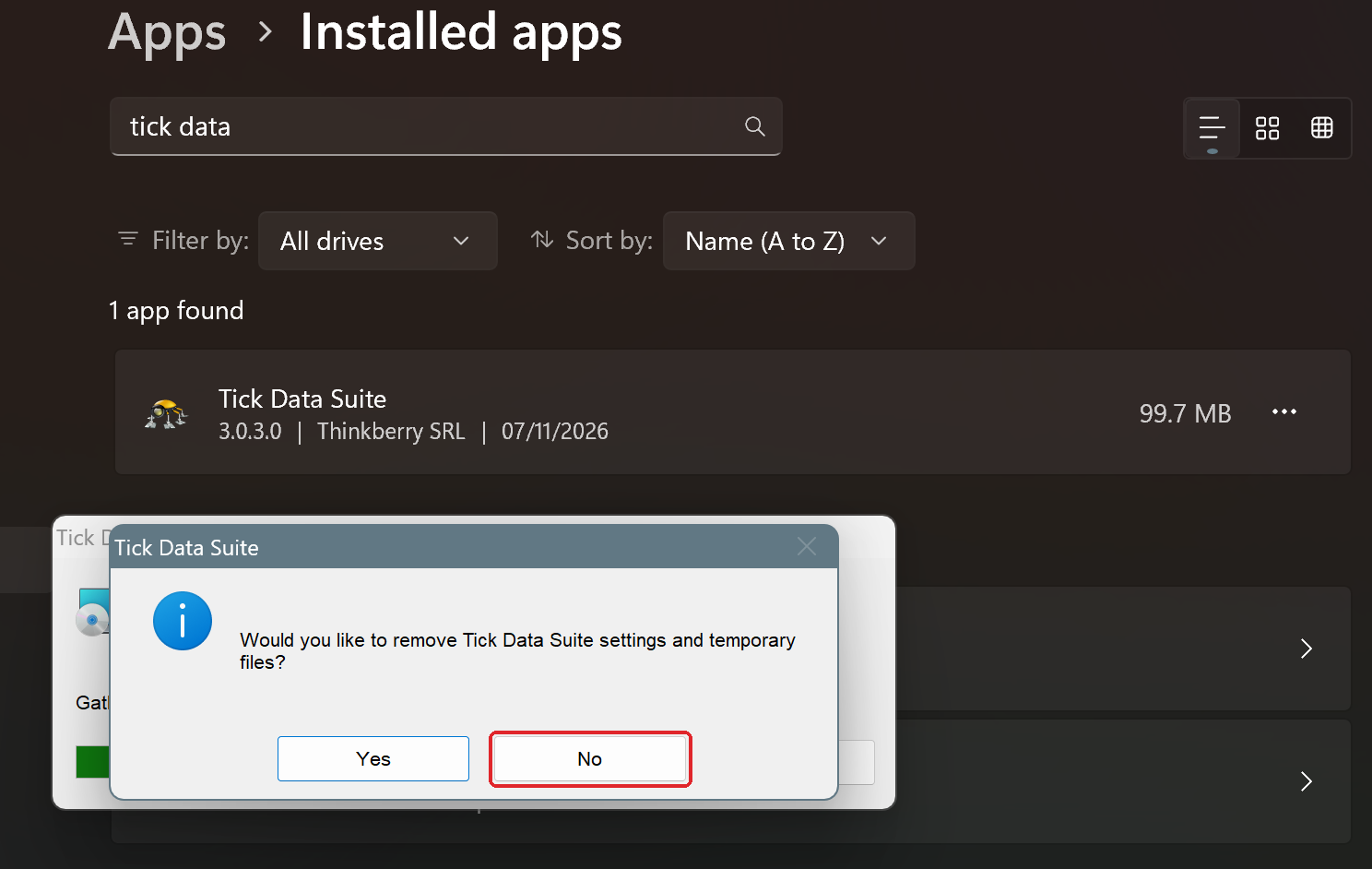
If you have installed a beta version that doesn't work as expected on your system, you can go back to the latest stable version of Tick Data Suite in a few minutes. Your settings and downloaded tick data are kept, as long as you select No in step 2.
The stable version does not include MetaTrader 5 support.
Before you start
- Close Tick Data Manager and any MetaTrader terminals that use Tick Data Suite.
Going back to the stable version
1Uninstall the beta
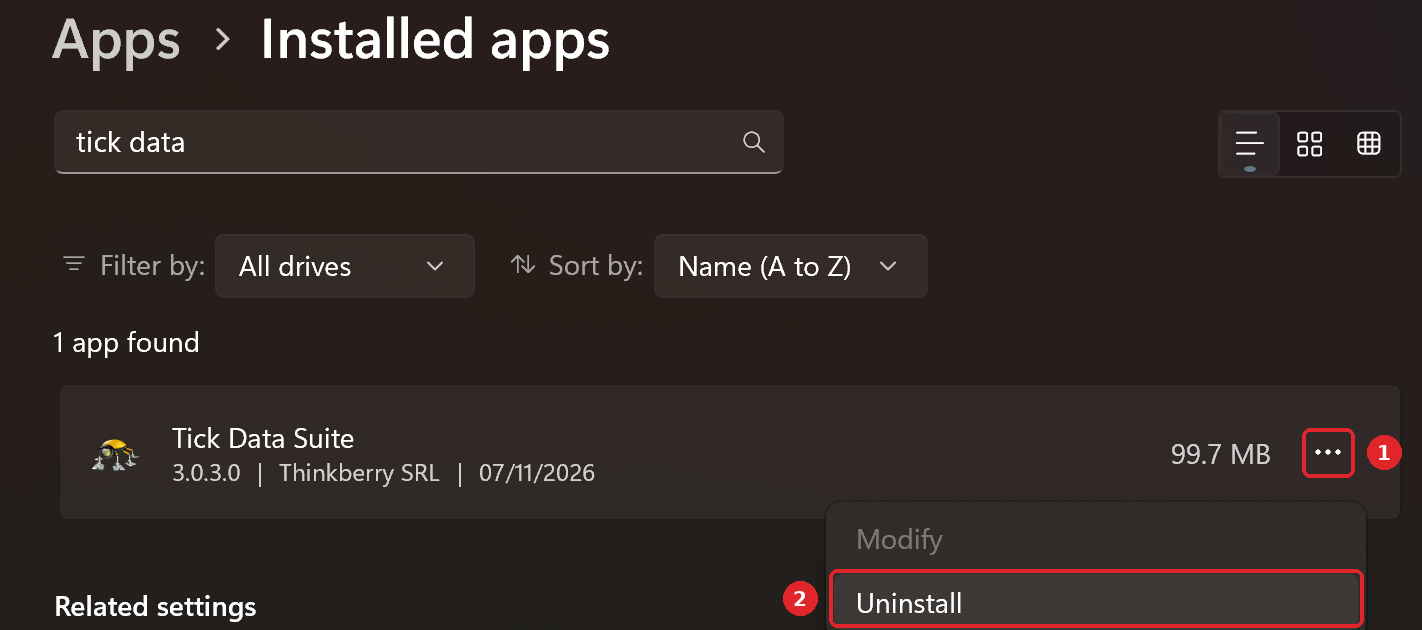
In Windows, open Settings > Apps > Installed apps and search for "tick data". Click the three dots next to Tick Data Suite, select Uninstall and confirm.
2Select No to keep your settings and tick data
When the uninstaller asks Would you like to remove Tick Data Suite settings and temporary files?, select No. This keeps your settings and all the tick data you downloaded.
3Install the stable version
Download the latest stable version and install it. When you launch it, your settings and tick data will be there as before.