Downloading Tick Data in the Tick Data Manager
Before you can backtest on real ticks, you need to have some tick data on disk. This article covers the mechanics of downloading. If you're not sure which provider to use, see Selecting a tick data source first — that article covers the criteria for picking a broker/provider, while this one covers the actual download workflow.
← Back to MT5 Quick Start Guide
Prerequisites
- Tick Data Suite installed and licensed (or on free trial)
Steps
1. Open the Tick Data Manager from the Windows Start menu.
2. Pick a tick data source from the Source dropdown (for example, Dukascopy).
3. Find the symbol you want in the list (for example, EURUSD).
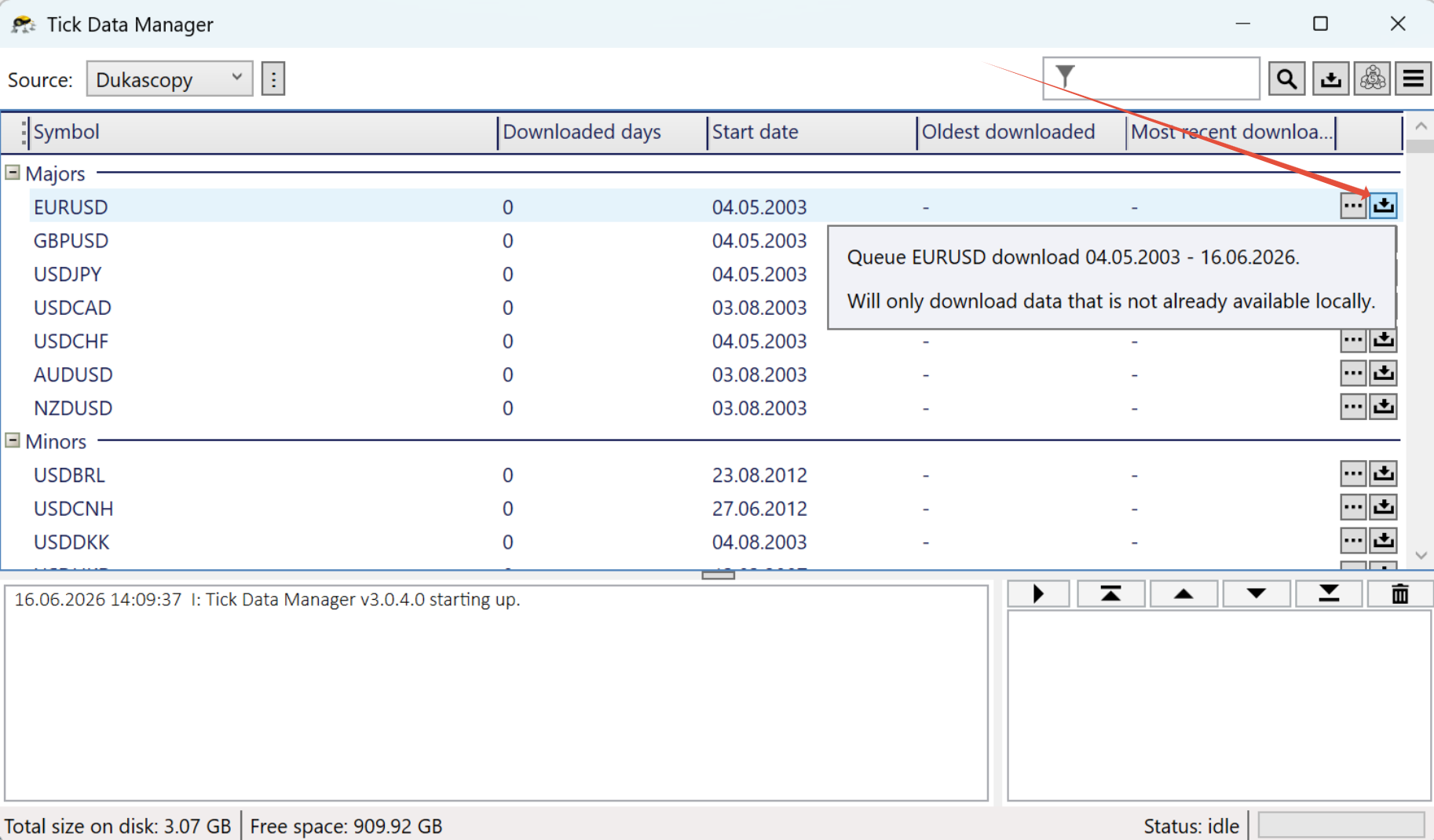
4. Click the download button next to it.
The full available date range is downloaded automatically, from the start date all the way to the latest available date.
Changing the date range
By default, the download button downloads every available day. If you only want a specific range (for example, 2020 onwards):
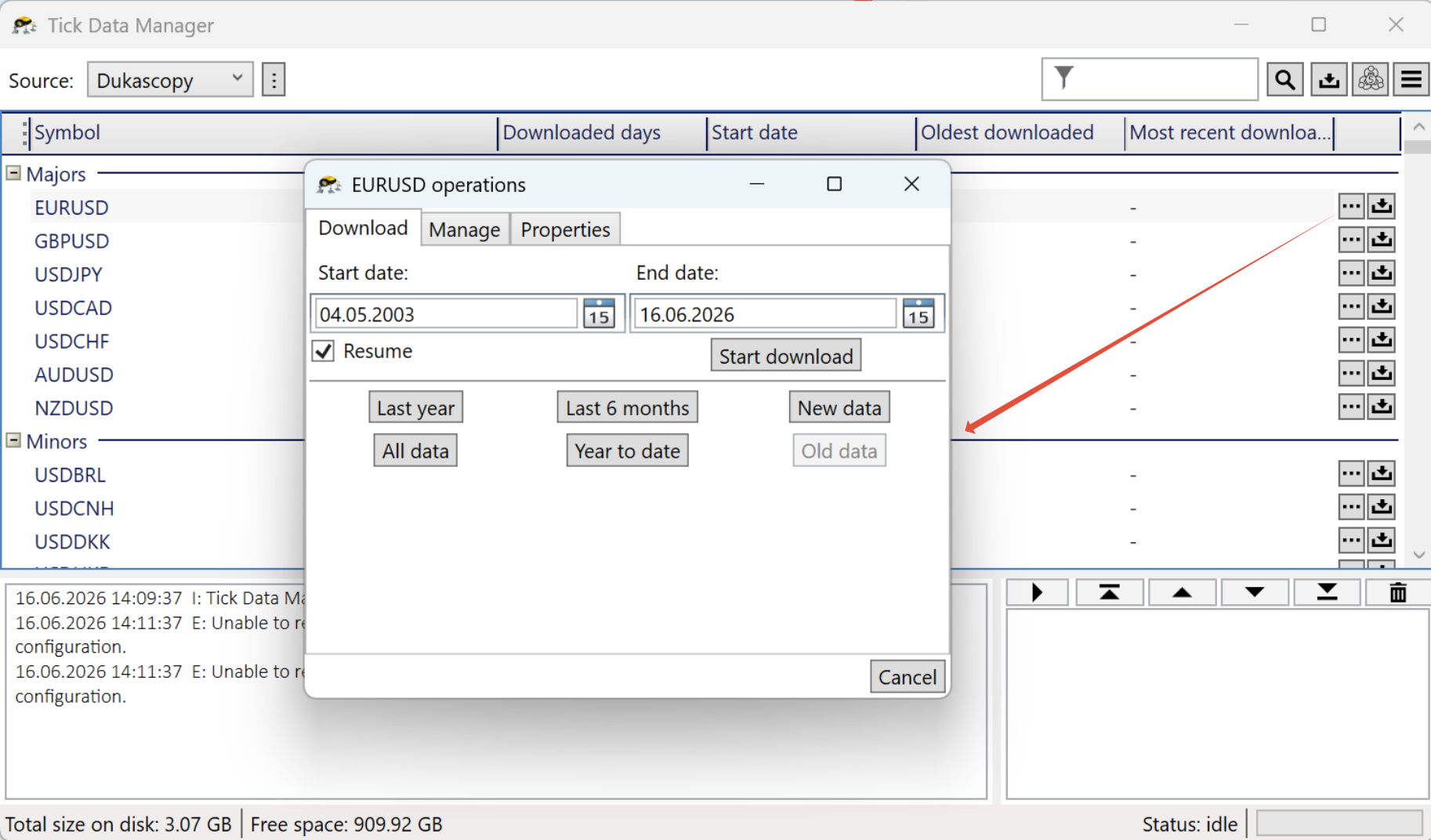
- Click the "..." Symbol Operations button next to the symbol.
- In the dialog that opens, adjust the Start date and End date.
- Click Start download.
Downloading multiple symbols
You can queue several downloads at once. They run consecutively and you can keep using your PC normally while they run.
I already have tick data from MT4
All your existing MT4 tick data works unchanged for MT5. There is no separate "MT5 data" — the same data files feed both. Skip this step entirely and go to Creating custom symbols in MT5.
I have tick data in CSV form
You can import it instead of downloading. See the Importing tick data article.
Keeping data up to date
Run the download again every so often to pick up recent ticks. The downloader only fetches the missing data since your last download, so follow-up runs are fast. After downloading, update the MT5 cache by clicking Update MT5 data in the symbol linking window, or enable automatic cache updates in Settings → MT5 so the cache is refreshed after every download without prompting.
If MT5 is running when you download new data, close it and start it again so it picks up the refreshed cache.